How to Improve YouTube CTR 10 Tips That Work
You upload a YouTube video, write what you think is a great title, create a thumbnail, and wait for the views to arrive. But hours or even days later, your video still isn’t getting the attention you expected.
What went wrong?
Sometimes the problem isn’t your video. Your target audience may be seeing it but choosing another video instead. This is where click-through rate, commonly known as CTR, becomes important.
If you want to learn how to improve YouTube CTR, you need to understand what makes people click, how to design better thumbnails, and how to write titles that match what viewers want to watch.
In this guide, you’ll learn 10 practical ways to improve your YouTube click-through rate, measure your results, and help the right audience discover your content without relying on misleading clickbait.
What Is YouTube CTR?
YouTube click-through rate measures the percentage of registered thumbnail impressions that result in views.
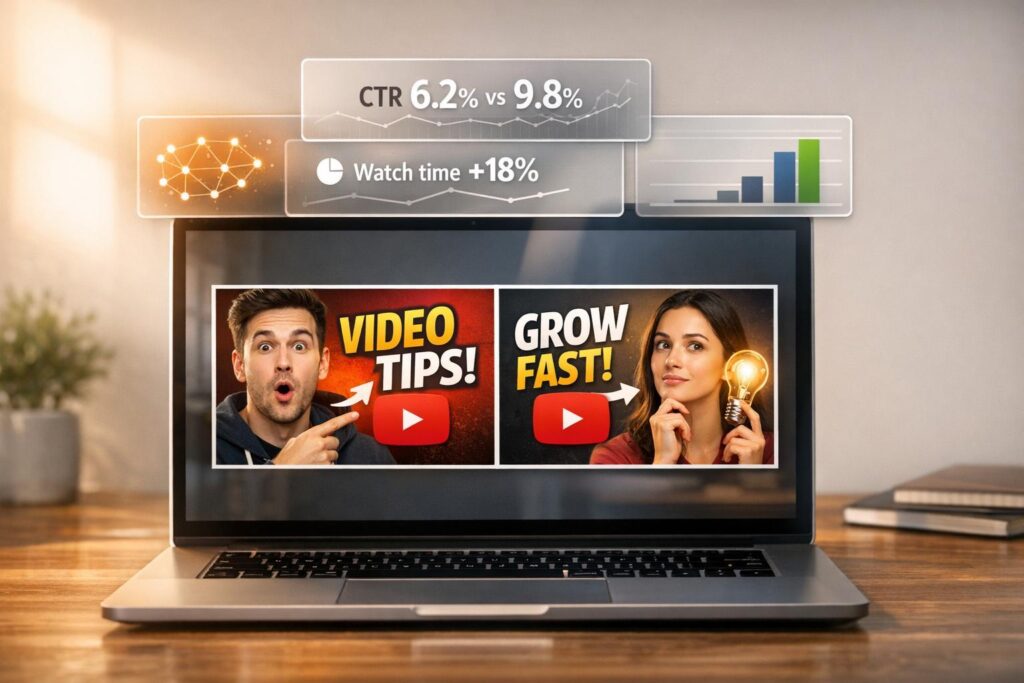
For example, suppose YouTube shows your video thumbnail 1,000 times in places where impressions are counted. If 50 of those impressions lead to views, your impression click-through rate is 5%.
The calculation is:
CTR = (Views from impressions ÷ Impressions) × 100
Here’s a simple example:
Thumbnail impressions: 1,000
Views from those impressions: 50
Click-through rate: 5%
A higher CTR can indicate that your title and thumbnail are attracting attention from the people who see them. However, CTR alone doesn’t tell you whether viewers enjoyed the video or watched it for long.
YouTube also considers viewer satisfaction and other performance signals when deciding which videos to recommend.
Why Is YouTube CTR Important?
Your title and thumbnail are often the first things a potential viewer notices. Before watching, people use these elements to decide whether your video looks relevant, interesting, and worth their time.
A clear title and an attractive thumbnail can help the right viewers understand what your video offers.
For example, a video titled “My New Camera” gives very little information to someone looking for photography advice.
A more descriptive title, such as “I Tested This Camera for 7 Days: Here’s What I Learned,” provides a clearer reason to watch, assuming the video genuinely covers that experience.
The objective isn’t simply to get more clicks. It’s to attract people who are likely to find your content useful or entertaining.
10 Ways to Improve YouTube CTR
1. Create Thumbnails That Are Easy to Understand
Your thumbnail should communicate the main idea of your video quickly, even when displayed on a small mobile screen.
Avoid filling the entire image with tiny text, multiple objects, and unnecessary decorations. Instead, focus on one main subject and a clear visual message.
Follow these thumbnail design principles:
Use a clear, high-quality image.
Make the main subject easy to recognize.
Create enough contrast between the subject and background.
Use a simple composition rather than too many competing elements.
Keep any text short and readable.
Make sure the design accurately represents your video.
For example, if your video explains how to edit photos, show a clear before-and-after comparison rather than a random stock image.
A thumbnail doesn’t need to be complicated to be effective. It needs to communicate the value of the video.
2. Write Titles That Give Viewers a Reason to Click
A strong YouTube title tells viewers what they can expect while giving them a reason to be interested.
Avoid vague titles that don’t explain the subject. At the same time, don’t promise something your video cannot deliver.
Consider these examples:
Weak: YouTube Tips
Better: 7 YouTube Tips for New Creators
Weak: My Editing Experience
Better: I Tried 3 Video Editors: Which One Is Worth Using?
The stronger examples are more specific and help viewers understand what they will learn or discover.
When writing your title, ask yourself three questions:
Does it clearly communicate the video’s subject?
Does it offer a useful benefit, answer, or point of curiosity?
Does the actual video deliver on the promise?
Include your main topic naturally when it helps viewers understand the content. You don’t need to force keywords into every title.
3. Make Your Thumbnail and Title Work Together
Your thumbnail and title should complement each other instead of repeating exactly the same message.
For example:
Video topic: A beginner’s guide to video editing.
Title: How to Edit Your First YouTube Video
Thumbnail text: START HERE
The title explains the topic, while the thumbnail adds a simple visual cue.
Another approach is to show a real result in the thumbnail and explain how you achieved it in the title.
Think of the title and thumbnail as a team. One attracts attention, and the other adds context.
4. Understand Your Target Audience
Not every thumbnail or title works for every audience.
A beginner searching for basic computer skills may prefer a clear, step-by-step promise. An experienced editor may respond better to a comparison of advanced features or a specific technical result.
Before creating a video, consider:
Who is most likely to watch it?
What problem are they trying to solve?
What questions do they have?
What would make your video different from similar results?
What information do they need before deciding to watch?
You can explore relevant searches, examine competing videos, and review the questions viewers ask in comments.
The goal is to understand your audience’s expectations and create a presentation that matches them.
5. Use Color and Contrast Carefully
Color can help a thumbnail stand out, but using more colors doesn’t automatically make a design better.
Choose a limited palette and ensure the main subject remains visible. For example, a light subject on a darker background may be easier to recognize than several similarly colored objects placed together.
Before publishing, preview your thumbnail at a small size. Check it on a mobile screen and against both light and dark interface backgrounds.
Ask yourself:
Can I identify the main subject immediately?
Is the text readable?
Does the image communicate one clear idea?
Is anything distracting from the main message?
If the answer to these questions is yes, simplify the design before uploading.
6. Choose the Right Thumbnail Dimensions
A blurry, stretched, or poorly cropped thumbnail can make a video appear less professional.
For standard YouTube video thumbnails, use a 16:9 aspect ratio and follow YouTube’s current recommended image specifications. A 1280 × 720 image is a practical choice for creating a high-quality thumbnail.
Keep important text and visual elements away from the extreme edges so they remain visible across different devices and layouts.
Also, check that your image is clear at both full size and a small preview size.
If you need to inspect an existing YouTube thumbnail, you can use the YTThumbnail.online YouTube Thumbnail Downloader to view available thumbnail images and compare design approaches.
Study what works in your niche, but create original thumbnails that accurately represent your own content.
7. Research Competing Videos Before Publishing
Before finalizing a title or thumbnail, search YouTube for your target topic.
Look at the videos appearing for similar searches and identify patterns.
Pay attention to:
Common title formats.
The subjects and layouts used in thumbnails.
Questions that competing videos answer.
Information that appears to be missing from existing content.
Ways to make your own video more useful or distinctive.
Don’t copy another creator’s thumbnail or title. Instead, understand why the content may appeal to the audience and develop your own approach.
For example, if every competing video uses a crowded thumbnail, a simpler design may help your video communicate its message more clearly.
There is no guaranteed formula for winning clicks. Research helps you make better-informed creative decisions.
8. Test Different Thumbnail Concepts
Sometimes a thumbnail looks excellent to its creator but doesn’t attract the expected audience. That’s why testing can be useful.
Develop two or three genuinely different concepts before publishing, if practical.
For example:
Version A: A close-up of the main subject.
Version B: A visual before-and-after comparison.
Version C: A simple graphic highlighting the result.
Keep the title and other elements consistent when testing so the comparison is easier to interpret.
Where available, use YouTube Studio’s native thumbnail testing feature. Evaluate the results using the metrics YouTube provides rather than assuming that the design with the most visually appealing appearance will perform best.
Avoid drawing conclusions from very little data. Audience size, traffic sources, and the amount of time a test runs can all affect the results.
9. Monitor CTR in YouTube Studio
If you want to improve YouTube CTR, you need to know how your videos are performing.
Open YouTube Studio, select Analytics, and review the Content section or the Reach analytics available for an individual video.
Look for the impressions and impressions click-through rate metrics.
Then compare videos with similar topics, audiences, and traffic sources.
For example, a tutorial that attracts viewers from YouTube Search may have a different CTR from a video shown to a broad audience on the Home page. That difference does not automatically mean one thumbnail is better than the other.
Look for patterns over time instead of reacting to every small change.
If a video receives many impressions but a relatively low CTR compared with similar videos on your channel, review its title, thumbnail, audience relevance, and traffic sources.
If CTR is strong but viewers leave quickly, check whether the opening of the video delivers on the promise made by its title and thumbnail.
10. Deliver What Your Thumbnail Promises
One of the most important ways to improve long-term YouTube performance is to build trust with your audience.
A dramatic thumbnail may generate curiosity, but it can damage viewer satisfaction if the video doesn’t deliver what it promises.
For example, don’t advertise a complete free course if the video contains only a short introduction. Don’t promise a product comparison if you haven’t actually compared the products.
A successful video presentation sets accurate expectations.
When people click and find content that meets those expectations, they’re more likely to have a positive viewing experience.
Remember: the purpose of a thumbnail is to help the right viewer choose your video, not to trick everyone into clicking.
What Is a Good YouTube CTR?
There is no single CTR that guarantees success.
YouTube states that half of all channels and videos have an impressions click-through rate that falls somewhere between 2% and 10%. However, results vary depending on the audience, traffic source, content type, and how widely a video is being recommended.
A new channel or video may show very different numbers from an established channel with a loyal audience.
Use these principles when evaluating your results:
Compare your video with similar videos on your own channel.
Consider where the impressions came from.
Allow enough time and data before making changes.
Look at watch time and viewer retention alongside CTR.
Avoid chasing a higher percentage at the expense of viewer satisfaction.
A lower CTR can sometimes accompany broader distribution because YouTube is showing a video to a wider audience. A higher CTR isn’t automatically evidence that the video will receive more recommendations.
The most useful benchmark is one that takes your content and audience into account.
Common Mistakes That Can Hurt YouTube CTR
Even a well-produced video can struggle if its presentation is confusing or misleading.
Avoid these common mistakes:
Using too much text: Small text becomes difficult to read on mobile screens.
Making misleading promises: Clickbait can attract clicks but disappoint viewers.
Copying competitors: A design that works for another channel may not suit your audience.
Changing everything at once: You may not know which change affected performance.
Ignoring traffic sources: Different audiences behave differently.
Judging too early: Small samples can produce misleading results.
Forgetting the video itself: A strong thumbnail may earn the click, but the content must deliver a worthwhile experience.
Improvement comes from understanding your audience, testing thoughtful changes, and learning from your analytics.
How YTThumbnail.online Can Help You Improve Your Thumbnail Strategy
Choosing a thumbnail becomes easier when you can inspect existing designs and study how different creators present their content.
YTThumbnail.online helps you access available YouTube thumbnail images for research and comparison.
You can use it as part of a practical workflow:
Find videos in your niche that target a similar audience.
Inspect their available thumbnail images.
Compare composition, readability, colors, and visual focus.
Identify opportunities to communicate your own video’s value more clearly.
Create an original thumbnail that matches your content.
Review the video’s performance in YouTube Studio after publishing.
Remember that examining a thumbnail does not reveal its actual CTR. Public views and thumbnail appearance alone cannot prove why a video performed well. Use your own analytics to evaluate your decisions.
Frequently Asked Questions
Everything you need to know about improving YouTube CTR.